About Me

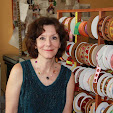
My photo
I am a studio artist and textile designer. My work swirls around among art, design, and the joy of making things. I founded LFN Textiles Artists Ribbons in 2002, and have been designing these fairly wonderful ribbons for 8 years now. They are distributed for the wholesale market exclusively by Renaissance Ribbons, and are available at retail on my website, www.lfntextiles.com, and nationwide through fine fabric stores, gift shops. My tapestries are available through a number of galleries across the country as well. See the links section for contact information.

Wednesday, February 20, 2013

fabrics to come from LFN Textiles

Yesterday I signed an agreement with Troy Fabrics to have my designs produced as quilt weight fabrics in their Riverwoods collection.  Troy produced top quality fabrics with up to 16 screens per design for very subtle color gradations.  They are based in Chicago, and also distribute a number of other fabric lines.  There is something really comforting about working with a home-town company.

But what I am happiest about is that they love everything I do, and the first collection will be based on my recent vegetables group of designs and debut at Quilt market in October.  Here's a sample of what is to come:


s 


 I have always been stubborn about my artistic style and point of view, and I have been reluctant to design anything "for the market" if not also for myself. I like to do straightforward patterns but also love to do quirky ones.  Tomatoes was my very first ribbon design:  I thought it was really nice to contemplate a luxurious fabric like woven ribbon with images of kitchen vegetables.  it will be great to see Tomatoes, herbs, lettuces, green beans = a cornucopia of veg -- made up into tablecloths, but also quilts and maybe shirts too. 

We will be doing plenty of other subjects in upcoming collections, so watch this space.

Saturday, February 16, 2013

From ribbon to voile! thanks to Spoonflower

As a textile designer, I often license my designs across several formats -- ribbon, fabric, dinnerware.  Usually it is me doing the legwork to find the clients for licensing, but I had a very pleasant surprise last fall.  I have a very large portfolio of fabric designs on Spoonflower, and the occasional sale of my designs through that is gratifying.  Some of the patterns I post on Spoonflower are based on ribbons I have designed.
 

Here is my design from several years ago for my Dahlia Ribbon.  I love it: it is heavy satin with very beautifully articulated details in the weaves. I redesigned it into an allover pattern and uploaded it to Spoonflower,. 

Last fall I got a message from a clothing designer who wanted to order yardage for sampling, and if the samples showed well at the January trade shows, he would want a license so that he could produce it in quantity.  He chose to print on cotton voile, which is a nice summery choice.  For this I earned my designer commission form Spoonflower.

This week he sent me photos of the samples, and indicated they were going ahead with production!  So the license was executed, the fee paid, and ahead we go.  As these shirts are not on the market yet, I can't link to them for you, but it sure was exciting!  As my designs are usually licensed for Home Dec, it is fun to see them as clothing.  Thank you, Spoonflower!


Thursday, October 11, 2012

Spoonflower branches out into wallpaper!

Wow! Spoonflower has branched out into print-on-demand wallpaper.  I am busy updating some of my patterns which I would find appropriate for wallpaper and adding that option.  They have a nice feature which shows the design mocked up with a chair for scale:


I never cease having fun with Spoonflower.  What a great resource!


Vector conversion with Adobe Illustrator for dummies

When I decided to upload my designs to www.patterndesigns.com, I found to my dismay that the patterns all were required to be vector patterns.  I had been struggling in my hard-headed self-taught way to figure out the vector method in Adobe Illustrator (I always design in Adobe Photoshop and feel comfortable and reasonably fluent in that).  It is a whole different way of thinking and working and makes a great deal of sense, but I couldn't get to square one on Illustrator.  Take a class? well, I just have not yet done so....

Several years ago my son Will, who of course absorbs all of this techno information with the ease of a sponge, told me that there is a simple tool called "Live Trace", and gave me a little demo.  I thought I had it down until the next time I tried it on my own and got big traced pixels.

I should explain to those of you, who like me, have a hard time understanding this stuff.  Adobe Photoshop builds your images out of little building blocks called pixels.  Think of graph paper designs you may have done as a child.  The smaller the grid, the more refined your detail could get (a lot like what I deal with in weaving).  So you need to work in a high level of ppi (pixels per inch) to get crisp detail.  But when you blow your design up, or reduce it, your pixels can suddenly become a design element you had not counted on.  Zigzag steps,  smeary outlines.

Vector is more like a rubber band.  You have an infinitely flexible, smooth outline to each shape (object) you are making, and if you enlarge or reduce it in scale, the outline remains smooth.  Elastic, that is how I think of it.  No unsightly zigzags.

You would think that working back & forth on 2 different Adobe platforms would be effortless, that each tool symbol behaved the same way in either program, but you would be wrong.  So again, the middle aged autodidact has a problem here with translation!

So I took the radical step of reading carefully through the excellent tutorial provided by patterndesigns.com, and suddenly it all clicked!

I went back to the Auto Trace tool and followed their instructions:

1. select "all" of the image.
2. go to Object (why do they call it "object"? I want to know)  menu, and scroll down to Live Trace.
3. Choose "tracing options"
4. in that menu, choose color, and then enter the number of colors in your design (which you have assigned under "indexed color in Photoshop).  Hopefully it is under 10, or the next step might take a long time.
5. the design will now trace, but you are not finished! Open the Swatches palette under Window, and use the select tool to drag a copy of the image onto the palette.
6. take the eyedropper tool and click on the first color in the design.  I try to work in groups to keep them straight, so I usually begin by sampling the background color.
7. Go to the swatch palette and click the New Swatch symbol at the bottom. (if you hover over the symbols you will be told what they are).  Click on it, and your color will be traced and then its swatch will appear.  When the New Swatch dialog box opens, click "global" and whether you want the color to be CMYK or RGB.
8. continue with every color in the design until it is complete, then go to the file folder icon at the bottom of the swatch palette, click it, and save your color palette.
9. Finally, save your file in the required format (.ai or .svg, etc)

Now, I will admit that I am a slow learner, and that I have been doing this in Illustrator CS3!  Things may well have evolved since then.  But mainly, I am thrilled that I now can make real vectorized designs from my raster images, and the next time a manufacturer asks for vector based designs, I won't have to admit my ignorance.  I am sure all of you younger designers reading this are rolling your eyes, but it was a great week for me!

PS, I will bet many of you know this inside & out and can share tips.  Please do!
Wednesday, October 3, 2012

LFN Designs online at Patterndesigns.com

Breakfast, copyright Laura Foster Nicholson
I have just joined an online pattern design site, where a select collection of my pattern designs will be for sale. The difference between this and my custom work for clients (like Crate & Barrel), is that these designs will be sold, not licensed, and they can be sold multiple times to any number of clients.  There is no crossover between my custom design work (ribbons and housewares) and these designs: these are a different lot.

I design hundreds of patterns a year, and relatively few are scooped up by my clients, so this is a way to keep all that work productive.  And my clients still get first pick.

You need to join the site to be able to look through designs, I believe, but if you are in the market for good quality design and you don't need it on an exclusive basis, this is a great way to work.

Here is the link to my profile page: http://www.patterndesigns.com/designer-49/Laura-Foster-Nicholson/

I am proud, too, that I had to jump ahead light years in some design software applications in order to participate, so I have gotten a lot of knowledge under my belt in the last couple of days and a whole new world has opened up!  previously I only designed in Adobe Photoshop, which is a great tool, but I have had a lot of pressure to learn to use Adobe Illustrator for scaleable vector designs.  So that learning curve has been tackled, and though I have a long way to go before I am as fluent in Illustrator as  I am in Photoshop, I feel great!


Monday, September 24, 2012

New LFN Textiles Ribbons on the way!

Very soon now my new designs for fall and holiday will arrive and I will get them online to www.lfntextiles.com.  Until then, here are a few to get you thinking about them!

 
 "Flowerpots" is a favorite of mine, a lot of detail crammed into a 1.5" ribbon!  I have always loved big round mums at this time of year, but I couldn't resist making the flowers more varied.


 I haven't named this one yet -- my names tend to be literal!  but the colors are juicy and earthy, and match well with the Flowerpots.


And I couldn't resist adding these fall ribbons from last year to show the continuity of the colors -- don't they coordinate well?  

All will go online as soon as my stock arrives.

Tuesday, September 18, 2012

Harvest time at Monticello

This past weekend I traveled to Charlottesville VA (a frequent destination anyway) to participate in Monticello's Heritage Harvest Festival with the printed textiles I have been producing.  As I have written in the past, Thomas Jefferson's vegetable garden at Monticello has been a major source of inspiration for me for 20 years now, and I jumped at the chance to spend a September Saturday displaying my wares at the very edge of this beautiful spot.


There were specialty food vendors, demonstrations, seed sellers (the Festival was founded by Southern Exposure Seed Exchange, and, I believe, Monticello's Center for Historic Plants), seminars on topics as diverse as raising chickens in your backyard to fermentation and vinegar workshops.  And there were historic craftspeople -- I saw a guy in a fab coonskin cap displaying (sigh) pelts and taxidermied animals (an important pioneer skill, I suppose).  Music.  Goat kebabs.  Cheese.  Microbrewed beers.  It was loads of fun!  People by the boatload shopping who appreciated my wares and purchased them, thus keeping me in business (I always deeply appreciate that).  All done with the selfless and energetic help of my sisters Sandy and Carol.

If you look carefully at the above photo you can see Jefferson's vegetable garden behind my tent.  All of the quotes and vegetables have been inspired by my work about this garden from 1992-93, the series entitled  The Thousand Foot Garden.  See my art blog, http://laurafosternicholson.blogspot.com/2011/03/planting-cycles.html, for more about that work.